
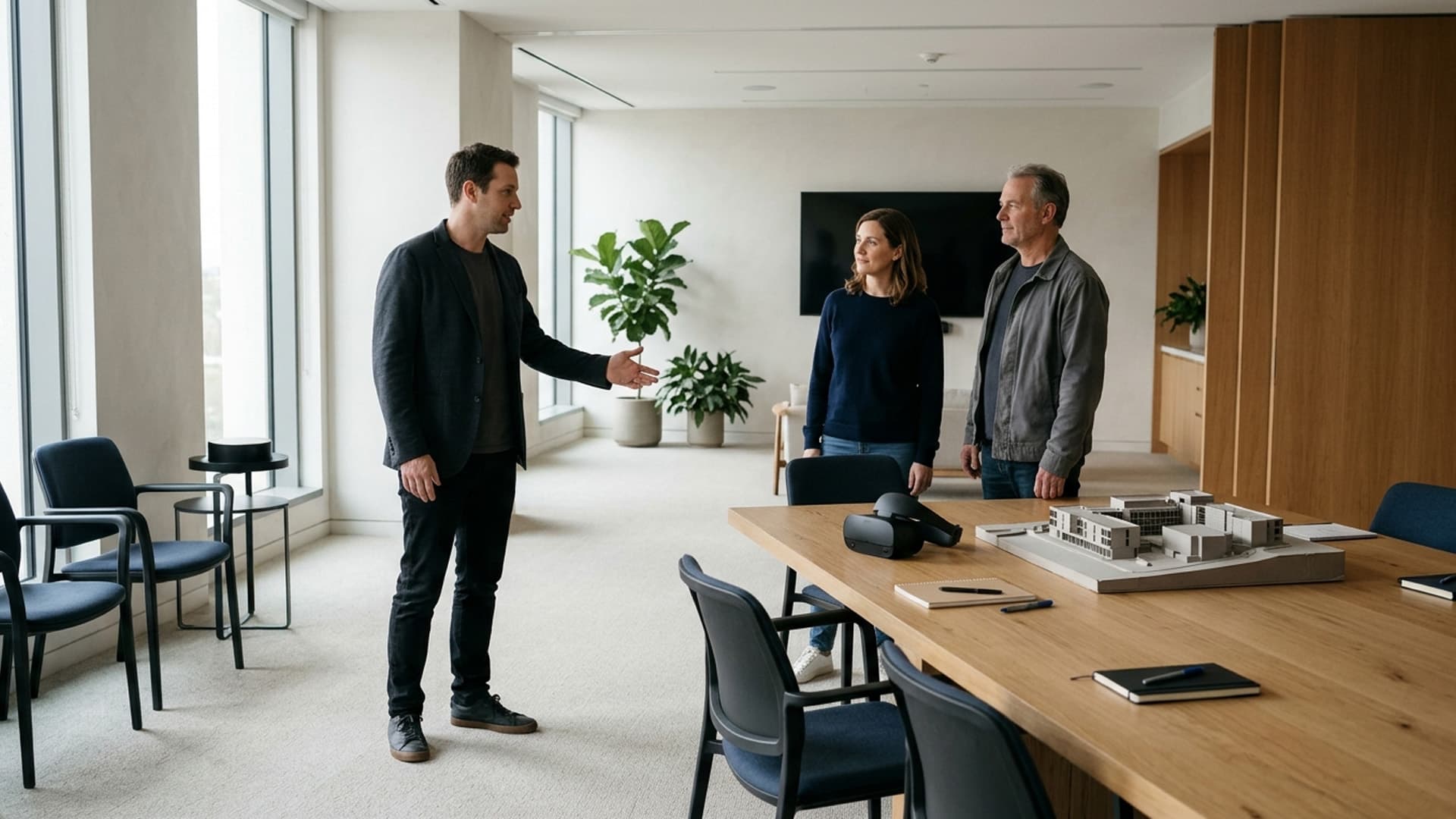
A mixed reality headset demonstration needs to be designed for the room in which it will run. Digital objects may appear alongside the participant's surroundings, so furniture, viewing positions and the way a presenter guides attention can affect the explanation.
Start by identifying what the visitor should understand and which part of the real setting supports that goal. Then test the experience in a representative space using the intended device. A demonstration that looks convincing in a captured video may need different preparation when someone is actually standing or sitting in the room.
Define the relationship between room and content
Decide whether the digital object is simply displayed nearby or whether it must align with a particular physical surface or object. Those are different requirements. An approximate tabletop presentation may be sufficient for an overview, while a more specific alignment needs careful validation.
Do not describe the experience as accurately registered to real equipment unless that capability has been established for the intended conditions. A persuasive visual effect is not evidence of measurement accuracy.
Write the presentation objective in ordinary language. For example, a visitor needs to compare two arrangements of a display stand. That objective helps determine the appropriate scale, viewpoints and interactions without requiring an elaborate virtual reconstruction of the venue.
Understand the device's view of the surroundings
Check how the selected headset presents the physical environment and what the application can control. In Apple's guidance on immersive experiences, passthrough is described as a view supplied by external cameras, and mixed immersion combines that view with application content. This is a platform example, not a claim about every headset.
Ask the supplier to demonstrate the actual device and application combination. Do not infer behaviour from a general label such as VR or mixed reality. The proposed experience may have important constraints that are not obvious from the hardware's appearance.
Make these constraints part of the presentation plan. If the application changes how much of the room remains visible, the presenter and visitor should understand what to expect before that transition occurs.
Choose a room that supports the explanation
Follow the device manufacturer's guidance and the venue's requirements when selecting and arranging the space. Keep the demonstration away from hazards and do not rely on a digital view or boundary system as the only safety measure.
Consider the presentation itself: where the visitor starts, where the relevant content appears and where the presenter can assist without obstructing the task. Avoid a layout that requires participants to make unnecessary movements while learning unfamiliar controls.
Provide a seated or otherwise suitable alternative where the experience supports it. Do not promise that one arrangement meets every participant's needs. Discuss access requirements and be prepared to explain the same idea without the headset.
Test the intended scale and viewing distance
A model should be large enough to understand without forcing the visitor to chase details around the room. If the object is shown at a reduced or enlarged scale, explain that clearly. An illustrative model is not necessarily a life-size representation.
Identify which features need close inspection and which provide context. A presentation may benefit from a separate detailed view rather than asking the visitor to move repeatedly between distant and close positions.
Test labels from the normal viewing position in the headset. A desktop screenshot does not establish readability. Remove unnecessary text and provide important information through an appropriate supporting format when it does not work well in the spatial view.
Give the presenter a shared reference
The presenter needs a reliable way to know what the participant is examining. Depending on the implementation, this might involve an approved mirrored view, a known sequence or verbal references to clearly identified parts.
Confirm what the shared view actually shows. It may not represent every aspect of the participant's visual experience. The presenter should not assume that something visible on an external screen is equally clear to the person wearing the headset.
Use consistent names for the important objects or positions. Instructions such as "select the panel on the left of the model" can be more useful than "press that". Rehearse the explanation with someone who has not helped develop it.
Limit interaction to what serves the demonstration
If the goal is comparing two configurations, make that comparison straightforward. Extra menus, elaborate gestures and optional effects can distract from the decision the demonstration is meant to support.
Choose a clear starting state and a clear completion state. The participant should understand what has changed after an action and how to return if they want to inspect the previous option.
Where a custom experience is required, discuss the behaviour with the augmented reality development team. Bring the room context and presenter needs as well as the digital content. The human explanation and software interaction should be designed together.
Plan for changes in the venue
Rooms are not always left exactly as they were during preparation. A table may move, a display may be added or the available demonstration area may change. Identify which changes require another setup or test.
Ask how the application establishes its spatial context and what the operator should do when the arrangement changes. Do not assume that content will remain correctly positioned in a different room or after an interruption.
Keep a short setup record with the intended arrangement and content version. This is particularly useful when several people present the same demonstration. A repeatable setup reduces dependence on the one person who remembers how the first successful session was prepared.
Use real visitor questions as a test
During rehearsal, allow the participant to ask about the subject rather than only following the prepared route. Can the presenter show the relevant detail without losing the thread? Does the application support the explanation or make it cumbersome?
Record questions that expose missing information. Some may be better answered through an ordinary document, photograph or discussion. Not every response needs another immersive feature.
Avoid presenting unsupported product claims simply because the model can depict them. Subject-matter owners should approve what the demonstration communicates. If a digital movement or configuration is illustrative, identify it as such rather than implying it reflects a verified physical capability.
Prepare an equivalent conversation without the headset
Some visitors will decline the headset or encounter a compatibility or comfort problem. Make it easy for them to continue the discussion through a screen, physical model, images or another suitable format.
Keep the important comparison and next step available through that route. A visitor should not lose access to the information merely because the immersive presentation is unsuitable for them.
This alternative also supports the presenter if equipment or application problems occur. It should be prepared as part of the demonstration, not assembled under pressure while an audience waits. The purpose is to communicate the subject reliably.
Finish with a decision or useful next step
At the end, ask what the visitor understood and what remains unclear. A successful demonstration should do more than prompt a reaction to the technology. It should support a concrete conversation about the product, design or proposal.
For a tailored presentation, contact Augmented Reality South Africa with the audience, room photographs where appropriate and the question the demonstration should answer. Do not include confidential material without agreeing a suitable sharing process.
When the room, content and explanation are planned together, mixed reality can become a useful presentation format. The aim is not to fill every available surface with digital objects. It is to show the right information in a setting where the participant can understand and discuss it.