
Android augmented reality: comparing native apps, web experiences and cross-platform development
A furniture retailer wants shoppers to see a sofa in their lounge. A training provider needs technicians to practise identifying parts of a machine. An exhibition organiser wants visitors to scan a display and see an animated product. All three could use Android augmented reality, but they do not necessarily need the same kind of product.
The first decision is often less about which device has the most impressive specifications and more about how the experience will be delivered. A native Android app, a browser-led experience and a cross-platform application can each place digital content in a real environment. They differ in installation, access to platform features, maintenance and the amount of control available to the team building them.
The right comparison starts with the audience and the task. An experience that people use for 30 seconds at an event has different needs from a training tool used every week. This article explains the practical trade-offs, where Google's ARCore fits, and what South African organisations should establish before commissioning a solution.
What Android AR actually does
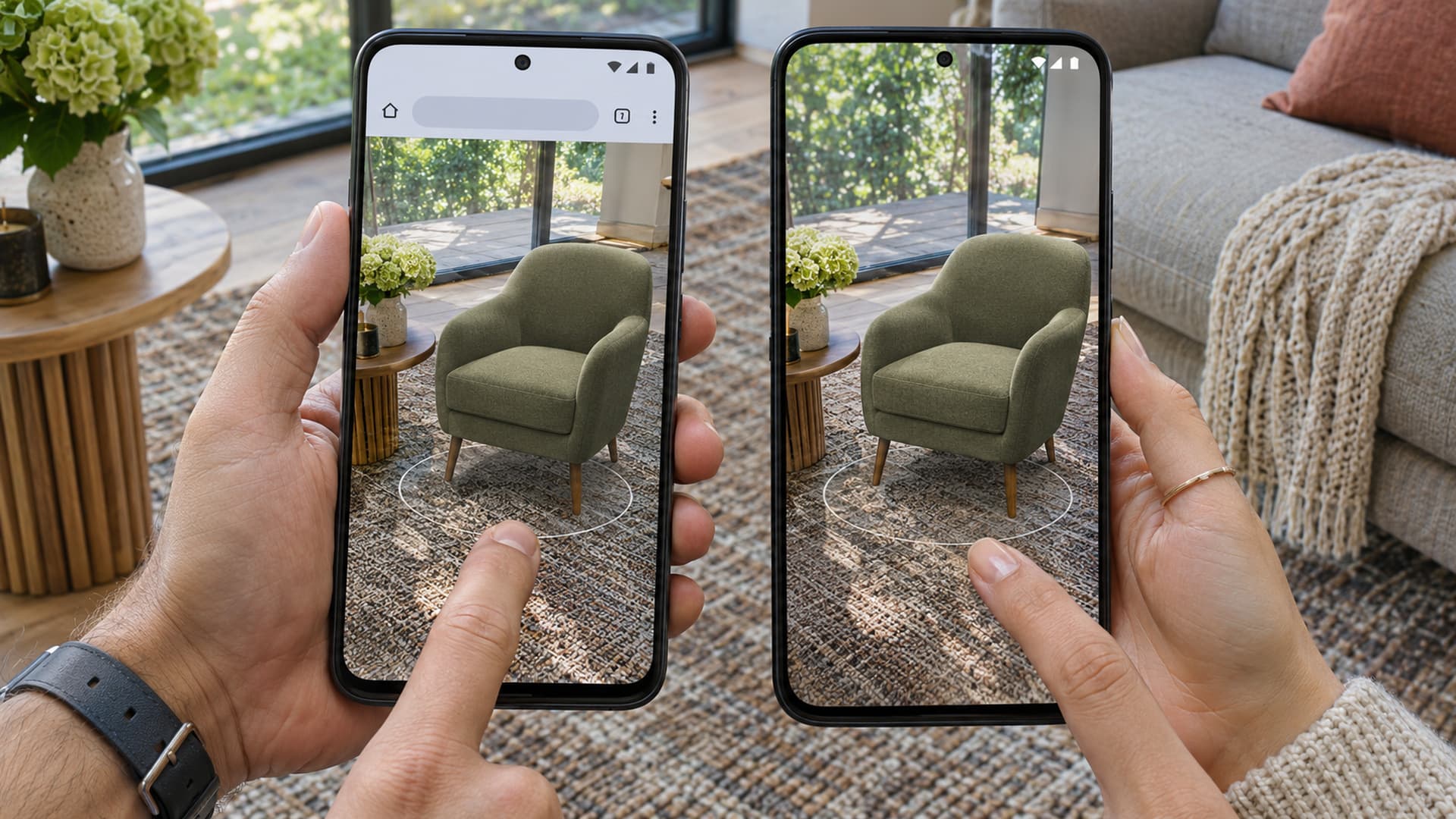
Augmented reality combines a live view of the physical environment with digital content. On a phone or tablet, the camera view can show a three-dimensional object positioned on a surface, an animation associated with an image, or a visual instruction aligned with equipment. The user sees the combination on the device screen rather than as a free-floating hologram in the room.
ARCore is Google's platform for building AR experiences. It uses the camera and other device information to understand motion and aspects of the environment, allowing software to position virtual content relative to the physical world. Depending on the supported device and configuration, developers can also use features such as depth or location-based anchoring.
These capabilities are not a guarantee that every Android device will run every experience. Google's supported device list identifies compatible models and notes some feature differences. Operating system version, Google Play Services for AR, processing capacity, connectivity and the particular application all matter. A meaningful comparison should therefore name the intended phones and the features needed, not simply assume that an Android logo means universal support.
Native Android apps: platform control and a dedicated product
A native Android application is built specifically for Android using the platform's development tools. ARCore can be integrated into such an app to support the AR functions required by the project. The result can be distributed through Google Play, through an organisation's managed device system, or through another appropriate distribution process.
A dedicated app is a strong candidate when the experience is part of a larger, ongoing workflow. For example, a field team might need users to sign in, select equipment, access a library of instructions and return to the same application regularly. A retailer may want an AR product preview integrated into a broader shopping experience. In each case, the AR feature is one part of a product that also needs navigation, content management and support.
Native development gives the team a direct route to Android-specific capabilities and can offer detailed control over application behaviour. That control does not eliminate technical limits. A feature must still be supported by the device, and the developers must account for permissions, operating system updates, performance and testing across a realistic selection of hardware.
The trade-off is the commitment involved in installing and maintaining an application. A visitor who encounters an unfamiliar brand at an exhibition may be reluctant to download a large app for one short interaction. Conversely, staff who use a tool daily may value a dedicated app and a managed rollout. The answer depends on how much value the user expects after installation.
It is also important to decide whether AR is essential or optional. Google distinguishes between applications that require AR and applications where it is an optional feature. An optional design can allow compatible users to access AR while providing another useful route for people whose devices cannot run it. See Google's guidance on enabling AR for the technical distinction.
Browser-led AR: a lighter route into an experience
A browser-led experience starts with a link, QR code or webpage. This can be attractive when the audience is already browsing a product page or encountering a campaign in a public space. Removing a separate app download can make the first interaction simpler, but it does not mean the entire experience has no requirements.
Different web AR approaches rely on different browser features, device capabilities, operating system integrations or third-party services. Compatibility needs to be checked for the precise approach being used. A supplier should identify the supported browsers and devices, describe how the user grants camera permission, and explain what happens when the required feature is unavailable.
For a straightforward product visualisation, a webpage can be an effective starting point. Google describes how its model-viewer component can present a three-dimensional model on a webpage and connect users to an AR viewing experience. That does not automatically provide the same interaction or integration as a bespoke app. Complex workflows, persistent content, specialist tracking or offline operation may require additional development or a different delivery model.
Browser delivery also brings practical questions about network access and page weight. A detailed 3D model can take time to download on a mobile connection. A public venue may have unreliable signal or a congested network. If an activation must work during a busy event, the team should test the actual connection and plan for an alternative, such as a smaller model, local connectivity or a non-AR view.
A QR code is an entry point, not a complete strategy. The landing page must tell users what will happen, why the camera is needed and how to begin. A clear fallback matters too: a conventional 3D viewer, photograph or short video can still help someone understand the product when AR is unavailable.
Cross-platform apps: a shared foundation with platform testing
A cross-platform approach uses a shared application framework to develop for more than one operating system. For an organisation serving both Android and iOS audiences, this can reduce duplicated work in parts of the product. Unity's AR Foundation is one example of a framework that provides a common interface for AR development.
Shared code does not make the platforms identical. Google's AR Foundation guidance explains that AR Foundation provides an interface while platform-specific plug-ins implement the underlying AR features. Android and iOS devices can support different capabilities, and some functions may require platform-specific implementation or alternative behaviour.
This distinction matters when a sales proposal promises one feature list for every phone. Ask which functions will work on each target platform, which devices have been included in testing, and what the experience does when a feature is absent. A shared project can simplify development and content reuse, but it still needs a compatibility matrix and a budget for testing on real devices.
Cross-platform development is particularly relevant when the same 3D content and interaction design must reach several audiences. A training simulation, for instance, might use a shared model and lesson structure while adapting camera permissions, device support and distribution to each platform. The value comes from sharing the right parts, not pretending every device behaves the same way.
Comparing the routes against the task
The following comparison is a starting point. Actual cost, reach and functionality depend on the chosen technology and the scope of the project.
| Consideration | Native Android app | Browser-led experience | Cross-platform app |
|---|---|---|---|
| First access | Usually involves app installation | Often begins with a link or QR code | Usually involves app installation |
| Best fit | Ongoing Android-specific product or workflow | Short, accessible entry point and suitable web-supported interaction | A maintained product intended for Android and another platform |
| Feature control | Direct Android integration, subject to device support | Depends on browser, device and chosen web approach | Shared framework plus platform-specific capabilities and constraints |
| Maintenance | Android application and its services need updates | Website, assets and chosen web services need maintenance | Shared application plus platform-specific testing and releases |
| Main question | Will users return often enough to justify the app? | Can the desired experience run reliably in the target browsers? | Which features can be shared and which require platform work? |
There is no automatic winner. If the key objective is to help an exhibition visitor see an object once, a lightweight entry point may be valuable. If a technician needs authenticated content, repeated lessons and managed devices, a dedicated application may be more appropriate. If an organisation needs substantially the same ongoing product on Android and iOS, a shared framework deserves consideration.
The comparison can change as the requirements become clearer. A campaign might begin with a webpage and later connect interested users to a more detailed application. An app can also provide a useful non-AR mode. Architecture should follow the user journey and the evidence from testing, not an assumption that one delivery method is always more advanced.
Device support, tracking and the real environment
A successful demonstration on one new phone does not establish that the experience works for the intended audience. Identify representative devices early, including lower-powered models where appropriate. Check available storage, Android versions, camera permissions and whether Google Play Services for AR is available and current on each test device.
Feature support deserves its own check. Google's Depth API documentation explains that depth support depends on device capability and that developers must enable it. Depth can help virtual content appear behind real objects, but an experience should not assume that every device supplies identical depth information or that the result is perfect in every environment.
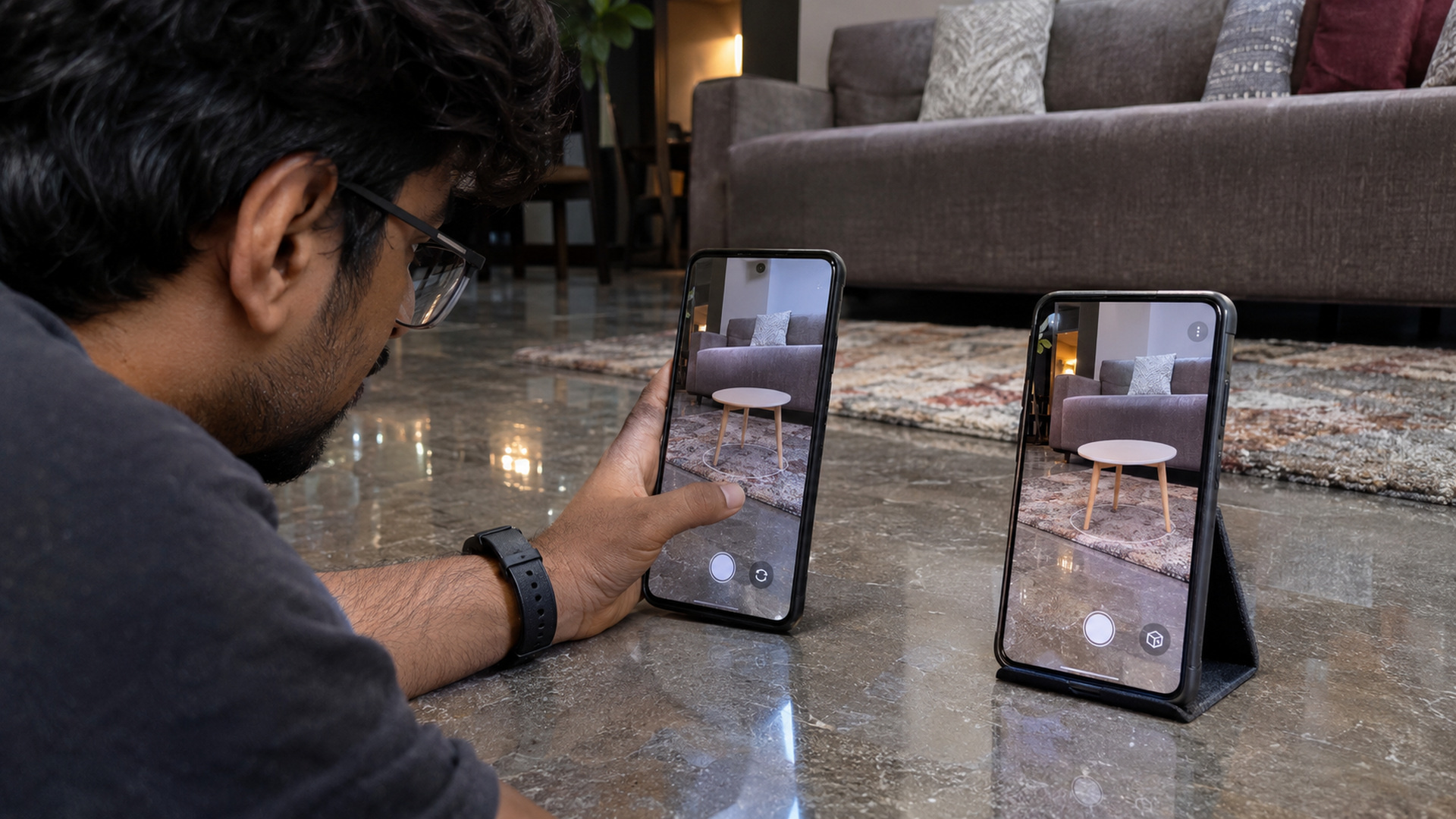
Real spaces introduce other variables. Reflective surfaces, low light, a plain floor and fast device movement can make it harder for tracking software to understand a scene. People may hold the device differently from the designer. A virtual chair that looks convincing on a large table in a studio may behave differently in a crowded living room. Testing should include the environment, not only the device model.
Where scale matters, distinguish visual guidance from verified measurement. A furniture preview can help someone understand proportions, but users should still confirm measurements before making a purchase. An equipment instruction can support training, but it should not replace required safety procedures or imply that the system can independently verify a hazardous task.
What to ask a supplier before choosing
A useful proposal should explain the experience in terms the business can evaluate. Start with the intended audience, where users will encounter it and the action they should take. Then ask the development team to connect each major requirement to a delivery choice and a test plan.
Questions worth putting on the table include:
- Which specific Android models and operating system versions will be tested?
- Does the experience require ARCore, and which optional features does it rely on?
- What happens if the user's device or browser is unsupported?
- How large are the initial download and any later content downloads?
- Which parts can work with limited connectivity, and which need an active connection?
- Who owns the 3D assets and can update them after launch?
- What analytics will be collected, what permissions are needed, and how will users be informed?
- What is included in testing, maintenance, security updates and post-launch support?
For a public activation, add questions about venue connectivity, accessibility and staff assistance. For an internal training product, ask how content will be reviewed, how the application will be deployed to managed devices and who approves changes to instructions. For retail, ask how product dimensions and model variants will be kept accurate.
These questions also help separate a prototype from a production service. A prototype may demonstrate that a virtual model can be placed on a floor. A production experience needs a reliable route into the feature, understandable instructions, a fallback, support and a plan for the content after the first launch.
Choose the experience first
Android AR offers several viable ways to connect digital content with a real place. Native apps provide a dedicated Android product; browser-led experiences can offer a convenient entry point; and cross-platform apps can share substantial work across operating systems. Each has limits that should be checked against the audience, features, devices and operating environment.
The most useful next step is to describe one interaction in detail: who uses it, where they are, what they see, and what they should do next. From there, a small test on representative devices can reveal whether the proposed route supports the experience before the full build begins.
To discuss a project, explore our Android augmented reality service or contact our team.