

Android augmented reality technology: tracking, depth and location explained for business
When a digital object appears to sit on a real floor through an Android phone, several processes are working together. The device needs to understand its own movement, estimate aspects of the surrounding space and draw the object in a position that remains meaningful as the user moves. Additional features can help the experience understand depth or relate content to a geographic location.
These capabilities make augmented reality useful for product visualisation, education and location-based interpretation. They also introduce limits. A supported device, a well-lit environment and an accurate model are not interchangeable: each contributes something different to the result. A project can have excellent graphics and still fail if the object is placed at the wrong scale or the intended users cannot run it.
This article explains the main technologies behind Android AR in plain language. It also considers what they mean when an organisation commissions an experience for a public audience, a controlled event or a managed fleet of devices in South Africa.
ARCore as a platform, not a single application
ARCore is Google's platform for building augmented reality experiences. Developers use it with supported tools to combine digital content with information from a device's camera and sensors. The platform is a foundation for applications; it is not itself the finished product that a customer or learner uses.
A custom experience still needs an interface, content, a delivery method and a reason for the user to interact. A furniture preview, an educational model and an outdoor exhibit may all use ARCore, but their requirements differ. They may also use different platform features and have different dependencies on network access, location or device hardware.
Google's development overview identifies several supported environments. A team can choose an Android-specific approach or use a framework such as Unity with AR Foundation where it suits the project. That choice affects the implementation and maintenance of the product, but it does not remove the need to test the actual user journey on representative devices.
For an organisation buying a solution, the useful questions are practical: which features are required, which devices will run them, how does a person start the experience and what happens if a feature is unavailable? The name of the platform is only the beginning of that discussion.
Motion tracking keeps content related to a space
A phone-based AR application needs to understand how the device moves relative to the environment. When a user walks around a virtual object, the view should change in a way that is consistent with that movement. Without reliable tracking, a model may appear to slide, jump or lose its relationship with the surface on which it was placed.
Tracking is an estimate based on information available to the device, not a guarantee of perfect positioning. The environment affects the result. Low light, reflective materials, plain surfaces, rapid movement and a scene that changes substantially can make it harder to maintain a stable understanding of the surroundings.
The interface should help the user recover. A short instruction to move the phone slowly, find a better-lit area or place the object again can be more useful than allowing an inaccurate result to continue without explanation. A reset control gives the person a way to start over if the model is clearly out of position.
For a business, the implication is that testing must include the intended setting. A retail preview should be tried in ordinary rooms, not only a studio. An event experience should be checked against the venue's light, surfaces and expected crowd. If the task depends on a precise relationship to a physical object, establish an independent verification method rather than assuming that a visual alignment is exact.
Surfaces and anchors give virtual content a reference
An AR experience often needs a place to put its content. The application can use environmental information to suggest a suitable surface, such as a floor or table, and attach a virtual object to a reference in the tracked space. This reference is often described as an anchor.
The distinction between an anchor and the object is useful. The anchor helps the application maintain a relationship to the environment; the model is the visible content associated with it. A stable reference does not make an inaccurate model correct. The dimensions, orientation and relevant details of the 3D asset must still be checked.
For example, a virtual display unit should appear on the floor at the intended size. If the model is too small, an otherwise stable placement can mislead a customer. If the user can freely resize the model, the interface should make clear whether the displayed size still represents the real product. A link to specifications gives the customer a separate way to verify the information.
An application may need to handle a session interruption or a change of room. A phone call or app switch can disrupt the user's view. When the person returns, the system should not silently present an uncertain placement as though it were unchanged. Depending on the design, asking the user to reposition the object may be clearer than attempting to preserve an unreliable result.
Depth helps digital and physical objects relate visually
Depth is information about the distance from the device to parts of the scene. It can support effects such as occlusion, where a real object appears in front of a virtual object. In a product preview, a virtual chair partly hidden by a real table can look more naturally situated than a chair drawn over the entire camera image.
Google's Depth API overview explains that the feature depends on device support and must be enabled in the ARCore session. Some devices have additional hardware sensors, but a hardware depth sensor is not universally required for the API. The relevant question is whether the specific devices and feature configuration in the project are supported.
Depth is useful but imperfect. A reflective or transparent surface can be difficult to interpret, and the estimated relationship may not match every edge in a scene. A visually plausible preview should not be presented as a survey or a guarantee that an item fits. Where a decision requires precise dimensions, use an appropriate measuring process and provide the actual product specifications.
A project should test both the enhanced and fallback experiences. On a device without a required depth capability, can the user still see a useful model? If occlusion behaves poorly in a particular environment, can the person reposition or switch to a conventional 3D view? These decisions belong in the design brief rather than being left until launch.
Geospatial technology connects content to a location
Some AR experiences need a relationship to a place rather than only a surface in the immediate room. An outdoor exhibit could present information near a landmark, or a visitor route could offer a spatial explanation at selected stops. Google's Geospatial API uses location and visual positioning information to help establish the device's position and orientation in relation to the environment.
Visual positioning availability is not the same everywhere. Google provides a method to check VPS availability, and its documentation describes behaviour when coverage is unavailable. The development team should test the specific site, device and conditions instead of assuming that a global service has uniform coverage in every South African location.
The physical setting can change too. A construction site may have temporary barriers; an event venue may add structures; crowds can affect how people move and what they can see. A production plan should identify who checks the experience, how content is maintained and what visitors can use when localisation is not sufficiently reliable.
Location-based AR should be designed for safe behaviour. A user should be able to stop in an appropriate place to view the content, then look up and move safely. A map, audio description or text page can offer an alternative. If the application uses location or cloud services, explain the permissions and data processing that actually apply to that implementation.
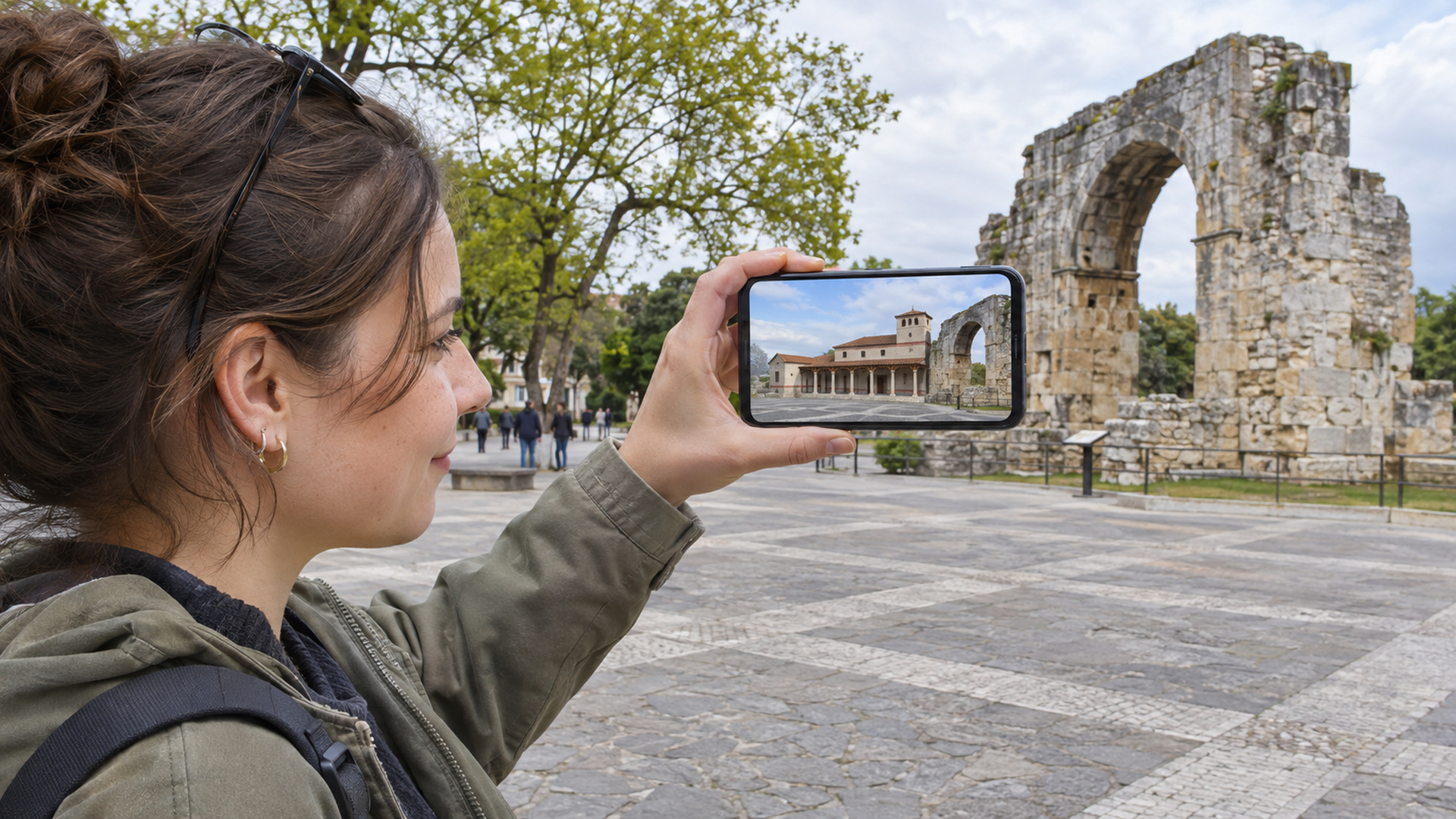
Geospatial depth combines two kinds of context
Google also documents Geospatial Depth, which can combine local depth observations with supported streetscape geometry in locations where the relevant services are available. The potential benefit is a richer depth representation for certain outdoor scenes, including effects where virtual content relates to buildings or other large features.
This is a conditional capability, not a promise that an application can map every street or see through obstacles. Device support, feature configuration, visual positioning and available geometry all matter. The project should check the current documentation and validate the intended location rather than treating a platform feature as a guaranteed outcome.
A useful business question is whether the additional complexity improves the story. An outdoor interpretive experience may benefit if a virtual element needs to appear behind a real building. A product preview on a table may not need geospatial depth at all. Choosing only the capabilities that support the user's task can reduce unnecessary development and maintenance.
When an experience depends on a cloud service, the team should also examine network requirements, operating costs, permissions and failure behaviour. A clear non-AR route can preserve access to the essential information if localisation or connectivity is unavailable at the moment of use.
Device compatibility is a matrix, not a checkbox
Android devices vary across manufacturers, models, operating system versions and sensor configurations. Google's supported device list is the starting point for checking ARCore compatibility and model-specific notes. Individual features such as depth or geospatial support may have further requirements.
A project team should define a test matrix based on the audience. For a public campaign, that could include a representative spread of devices and operating system versions. For a managed training deployment, the organisation may standardise on a smaller set of tablets and maintain greater control over updates. The appropriate matrix depends on reach, risk and budget.
Compatibility should be tested in the finished experience. A device can support ARCore while a particular application performs poorly because a 3D model is too heavy or the interface is difficult to use on a smaller screen. Check loading time, frame rate, temperature, storage, permissions and recovery from interruptions under realistic conditions.
The fallback matters commercially. If a prospective customer has an unsupported phone, can they still inspect a 3D model or read the product specifications? If a learner's device cannot run the camera feature, can they access the essential instructional material? A good alternative prevents a technical boundary from becoming a dead end.
3D content and performance determine the result
AR tracking provides a relationship to the real world, but the digital asset supplies the content the user is meant to understand. An inaccurate model can undermine the experience regardless of how well it tracks. Product dimensions, component shapes, colours and configuration options need review by the people who know the subject.
Mobile performance requires careful asset preparation. A model made for engineering or a high-resolution render may contain more detail than a phone can display efficiently. Simplifying geometry and textures can reduce the processing and download burden, but the team must preserve features that are important to the decision or lesson.
Test the trade-off on representative devices and connections. If a visitor waits a long time for a model to load, they may leave before seeing it. If a simplified component no longer shows the feature a learner needs to identify, the smaller file has lost its educational value. Technical optimisation and subject review should happen together.
Agree on ownership of editable source files, licensing of third-party materials and the process for updating content. A business that changes a product or instruction needs to know which model and application versions are affected. A maintainable asset library is part of the technology strategy, not merely a creative deliverable.
Privacy, permissions and measurement
An AR application may request access to a camera, location or other device functions. Whether information remains on the device, is sent to a service or is retained depends on the implementation. The organisation should document the actual data flows and explain relevant permissions in language users can understand.
Analytics should be designed around a legitimate question. A product team may want to know whether users start a preview and then request specifications. A training team may want to know whether learners complete an activity. Neither metric alone proves a sale, an operational saving or a person's competence. Use appropriate context and assessment before claiming an outcome.
Collect only what is needed for the agreed purpose, establish who can access it and decide how long it is retained. If a project relies on a third-party service, review the applicable terms and responsibilities with the organisation's privacy and technical advisers. Do not assume that a generic camera permission notice describes every data flow.
Turning technical capability into a business decision
A productive first brief describes a user, a setting and an intended action. The development team can then identify whether tracking, depth, location or another capability is needed. It can also propose representative devices, an asset plan, a fallback and a test that addresses the largest uncertainty.
For a product preview, that uncertainty may be whether customers understand scale and can start the interaction. For an outdoor experience, it may be localisation at the actual site. For a training tool, it may be whether the digital model helps learners identify the correct component without obscuring the physical context. A focused prototype can test these questions before a full rollout.
The business should agree on a maintenance owner as well. Operating systems, device models, product specifications and cloud services change. Someone needs responsibility for checking compatibility, updating content and responding when an experience no longer behaves as intended.
Android AR technology offers a flexible set of building blocks. The strongest result comes from choosing the ones that support a clear task, testing their limits and communicating those limits to users. To discuss a possible project, see our Android augmented reality service or contact our team.