

The future of iOS augmented reality: useful spatial experiences, not just impressive demos
The future of augmented reality on iPhone and iPad will be shaped as much by ordinary decisions as by new technical features. Can a shopper understand whether a product suits a room? Can a learner explore a component before handling equipment? Can a visitor find useful information without downloading an unfamiliar app? These questions matter because AR becomes valuable when it helps someone do something in the real world.
Apple's ARKit and related tools already give developers ways to connect digital content with a camera view, while supported hardware can provide additional information about a space. Yet capability does not automatically create usefulness. The next phase for businesses and educators is to build experiences that are clear, accessible and maintainable, and that acknowledge what the technology cannot guarantee.
This is an outlook, not a forecast of unannounced Apple products or features. It considers the direction that current tools make possible and the choices organisations can make today to prepare for better spatial experiences.
The experience will begin with a task
A successful AR experience should solve a problem that is easier to understand when digital and physical information are seen together. A model of a chair on a blank screen can show its shape. The same model placed beside a real table can help a shopper consider its proportions. A three-dimensional diagram can explain a machine component, while a carefully aligned view may help a learner relate that component to physical equipment.
The task defines which capabilities matter. A product preview needs reliable dimensions and an understandable way to position the object. A training activity needs a clear lesson and authoritative content. An event activation may need an immediate, enjoyable interaction that can be understood in a busy room. These are different products even if all three use ARKit.
Businesses should resist measuring the future of AR only by visual spectacle. A dramatic animation may attract a first view, but a useful action gives the user a reason to continue. The more important design question is what the person should know or do after the interaction, and whether AR helps them reach that point more effectively than an available alternative.
That alternative could be a photograph, a video, an interactive 3D model or a conversation with an expert. Comparing the options is healthy. If a conventional image explains the decision just as well, adding a camera step may only create friction. AR earns its place where the spatial relationship provides meaningful context.
The line between a webpage and an AR experience can be shorter
People often encounter a product through a link, search result or message before they have any reason to install an application. A promising direction is to place the first useful 3D interaction close to that existing journey. On supported Apple devices, AR Quick Look can present suitable content from Safari or a web view.
This approach can be valuable for a simple preview, but it does not mean every custom interaction can be delivered in the same way. A complete application may still be appropriate when the experience needs accounts, repeated activities, complex interaction or integration with other business systems. The delivery choice should follow the scope rather than a blanket preference for either a link or an app.
A good entry point also explains what will happen. The user needs to know why a camera view is opening, how to position content and how to leave. If the required device or feature is unavailable, a conventional 3D view or product image can preserve the essential information. The alternative is part of the experience, not evidence that the AR concept has failed.
For organisations, this means planning the surrounding journey alongside the model. A product preview should connect to accurate specifications and a sensible next step. An event display should provide brief instructions and a route for visitors who need assistance. The path into and out of AR can determine whether the technology is actually used.
Digital content will need to respect the real environment
A virtual object is more convincing when it behaves as though it belongs in the space. That can involve stable placement, plausible scale, lighting and the ability for a real object to obscure part of the virtual one. On supported configurations, Apple describes scene reconstruction as an estimate of the physical environment represented by a mesh.
The word estimate matters. A reconstructed surface is not a guarantee that every edge, material or dimension has been captured exactly. Device capability and the conditions of a room affect what an application can do. Businesses should ask for demonstrations in representative environments, including difficult surfaces and lighting, rather than assuming that a polished promotional video represents every situation.
The future opportunity is not simply more environmental data. It is using that information to support an interaction that makes sense. A virtual appliance should sit on the appropriate surface. An instructional model should not obscure a control the learner needs to see. A product preview should help the user judge proportions without suggesting a level of measurement accuracy the system cannot provide.
Apple's human interface guidance for AR highlights the importance of designing interactions around the user's goal. For a product that must fit a real space, retaining realistic scale can be more useful than allowing unlimited resizing. That decision is an editorial and commercial choice as well as a technical one.
Scanning can support planning, with human verification
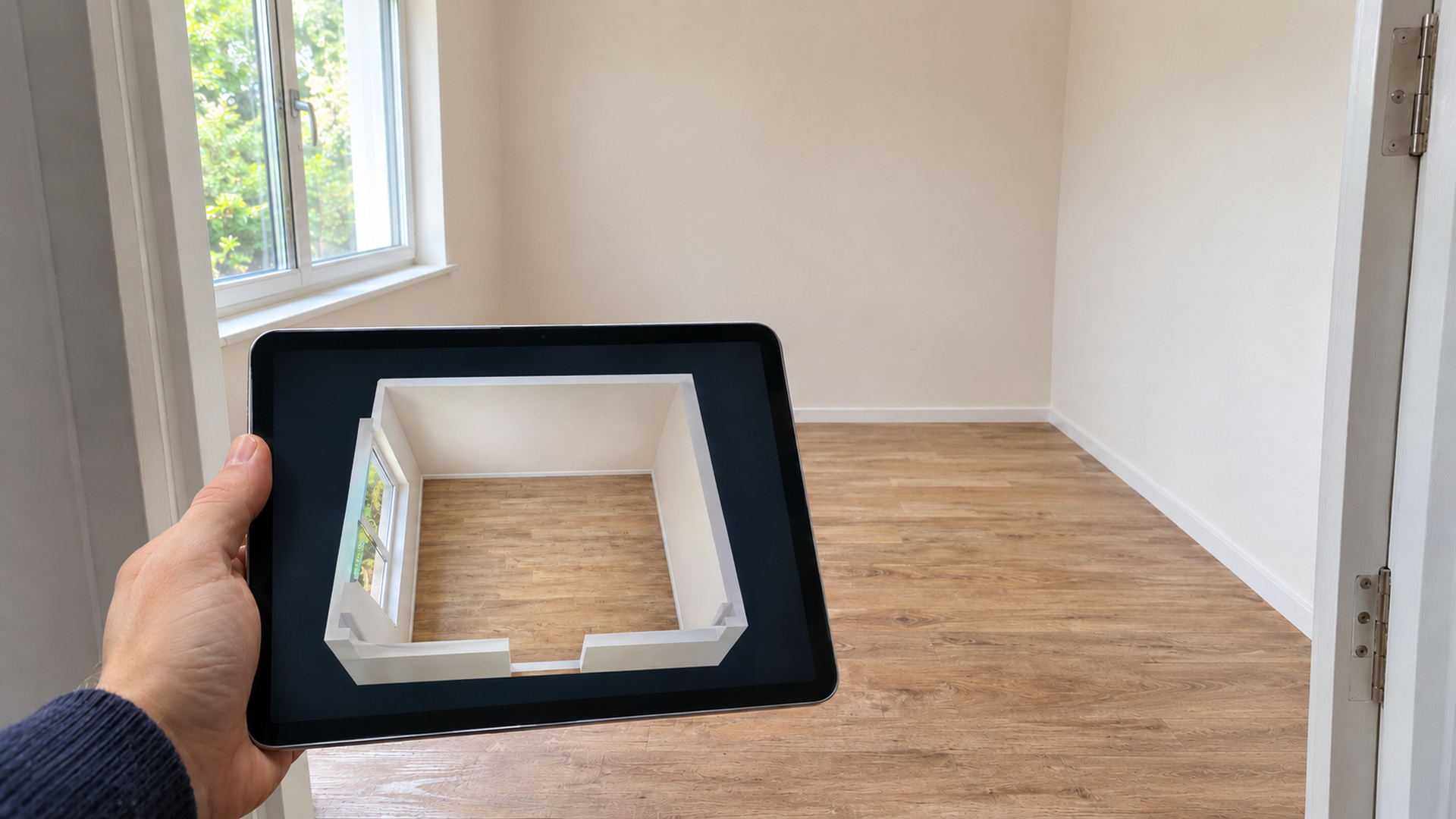
Apple's RoomPlan overview describes using the camera and LiDAR scanner on supported iPhone and iPad hardware to create a representation of a room. The output can contain recognised elements and dimensions. For appropriate projects, this points towards workflows where a digital representation of a space informs a later design or visualisation.
It does not follow that every device can perform the same scan or that an automatically generated plan should replace a professional survey. Occluded objects, unusual geometry, scanning technique and other conditions can affect a result. A business proposing a room-based service should specify which devices are supported, what the output is suitable for and when a person must verify it.
Consider a hypothetical interior planning journey. A customer might capture a preliminary representation of a room, explore an arrangement and then discuss the proposal with a supplier. The preliminary view could help the conversation, while the supplier still confirms measurements, installation requirements and product availability before an order. The value lies in improving the early exchange of information without overstating certainty.
This approach also raises questions about data ownership. A room scan can reveal information about a private space. The organisation should explain what is captured, whether data leaves the device, who can access it and how long it is retained, based on the actual system. Collecting less information can be a useful design decision where the task permits it.
3D assets will become part of a broader content operation
A spatial experience depends on more than software. A business needs accurate models, descriptions, dimensions and a way to keep them current. As organisations use 3D content across product pages, training and presentations, the underlying asset library can become a significant part of the work.
Apple's Quick Look gallery describes USDZ content in supported Apple applications. A suitable file format helps with delivery, but a format is not a content strategy. A business still needs to know which model represents which product, which version is approved and whether it has the rights to reuse the textures and source material.
A practical library can hold an editable master and lighter versions for different destinations. A detailed source model may be useful for production while a mobile version prioritises performance. Both need a review process so that simplification does not remove an important feature or change the perceived dimensions. If a product is revised, the team should be able to identify where the old model appears.
For educational content, subject experts should review the representation and the explanation together. A model can be visually impressive yet misleading if it omits a critical relationship. The organisation should also decide how learners receive updates and who approves a change to the material. These governance questions become more important as a single asset is reused in several experiences.
Trust will depend on clear boundaries
AR places digital material into a view of a real environment, which can make the result feel authoritative. That is helpful when the content is accurate, but it also creates a risk that users interpret a visual approximation as a verified fact. A future-ready experience should communicate the boundary between a visual guide and a measurement or instruction that requires independent confirmation.
For product visualisation, show actual dimensions and note when a finish on a screen may differ from a physical sample. For spatial planning, identify what has and has not been verified. For training, distinguish explanatory guidance from mandatory safety procedures and supervised practical assessment. The aim is to support informed decisions, not weaken the experience with vague promises.
Trust also depends on permissions and privacy. A camera prompt should be connected to a clear explanation of the feature. If location, analytics or cloud processing is involved, describe the actual data flow rather than relying on a generic statement. A user who declines a permission should understand the consequence and, where feasible, have another way to obtain the core information.
These decisions should be made before development is complete. Retrofitting privacy notices or a non-camera route at the end may reveal that the product collects more information than it needs. A concise data inventory and a clear owner for decisions can prevent that problem.
Accessibility should shape the experience from the start
A phone-based AR interaction can require a person to hold a device up, move around and interpret information visually. Some people may be seated, have limited mobility, experience fatigue or be unable to view a small screen comfortably. A crowded or unsafe environment can also restrict movement for any user.
An inclusive design offers an appropriate alternative for the task. A touch-controlled 3D model, text description, captions or conventional images may communicate important information without requiring a camera or movement. Controls should be legible and usable, and the experience should not rely solely on colour to convey a distinction. The exact combination should be tested with the intended audience.
Comfort is also a question of duration. Short, focused interactions may be easier to use than a long sequence that requires someone to hold a device in front of them. Give people control over pausing, restarting and leaving. Where walking is involved, the route and instructions should encourage attention to the real surroundings.
The point is not to remove the spatial experience. It is to make sure the essential information and next action are available to people with different needs. That makes a product more resilient when a device is unsupported or a user simply prefers not to use the camera.
Cross-platform expectations will remain a commercial reality
A business audience rarely consists entirely of one device family. An iOS experience may be a deliberate choice for a managed fleet or a specific audience, but a public campaign should understand what Android users will encounter. The same content can sometimes be adapted across platforms, while capabilities, file formats, permissions and user journeys may differ.
A shared development framework can reduce duplication in parts of a project, but it does not erase platform-specific testing. Teams should document which functions are shared, which are different and which require a fallback. A realistic device matrix is more valuable than a promise that every phone will have identical performance.
Content ownership helps here. If the organisation retains editable source assets and knows the rights attached to them, it can commission suitable outputs for different devices. That does not guarantee a cost-free conversion, but it avoids treating each platform as a completely separate creative starting point.
For South African users, data cost, connection quality and device age can influence the choice of entry point. A smaller asset and a useful conventional view may reach more people than a feature-heavy experience that takes too long to load. Test assumptions with the intended audience before expanding the scope.
Prepare now without guessing the next announcement
A future-ready project does not need to predict Apple's next device. It needs a clear purpose, accurate content, an honest compatibility statement and a plan for change. Start by selecting a single use case and identifying the user, environment and desired outcome. Build a small prototype and test it with representative devices and first-time users.
Agree how success will be evaluated. A business might measure whether users request a specification after viewing a product, while recognising that a view does not prove a sale. A training provider might assess understanding with an appropriate exercise rather than assuming that interaction time proves competence. Use those findings to decide whether to expand or revise the experience.
Finally, plan ownership after launch. Operating system updates, product changes and new devices can require maintenance. Assign responsibility for checking compatibility, updating models, reviewing privacy information and responding when the experience fails. An AR project becomes a durable service only when someone is responsible for it.
Spatial value is the direction to watch
The strongest outlook for iOS augmented reality is a closer relationship between digital information and the physical decisions people already make. Easier entry points, useful 3D assets and better awareness of a space can all contribute, provided the experience remains understandable and its limits are clear.
For organisations ready to explore a focused use case, our iOS augmented reality service can be a starting point. You can also contact our team to discuss the audience, content and devices involved.