
Custom augmented reality for business: applications that connect digital content to the real world
Some business ideas are difficult to explain with a photograph alone. A large machine may be impossible to bring to an exhibition. A customer may struggle to judge how a product relates to a room. A learner may understand a diagram but need help connecting its parts to the real equipment in front of them.
Custom augmented reality can help by placing digital content in a view of the physical environment. On a supported phone or tablet, a user might inspect a three-dimensional model, view an animation aligned with an object or see a product in a space. The screen combines the camera view and the digital content; the result is not a physical hologram floating in the room.
The business case depends on the task. AR is useful when the relationship between the digital information and the real setting helps someone understand or decide. It is not necessary for every product, and it should not be treated as a guaranteed source of sales or training results. The following applications illustrate where a tailored experience may be worth exploring and what an organisation should plan before building one.
Product visualisation and considered purchases
A customer considering furniture, equipment or a display unit often wants to understand how its size and appearance relate to a real space. A correctly scaled virtual model can provide context that is difficult to obtain from a catalogue image. The user can move around the model on a compatible device and inspect it from different angles.
The experience is strongest when the digital asset answers a genuine question. For a chair, that might be its relationship to a table. For a larger piece of equipment, it might be its general footprint and the way its major components fit together. A product that has meaningful configuration options could allow users to compare them, provided the options are represented accurately and kept current.
This is a visual guide, not a promise of fit. The customer should still check product dimensions, access routes, service clearances and installation requirements. A colour or material shown on a screen can also look different from the physical item. A clear link to specifications and an enquiry route lets the customer move from an impression to a better-informed decision.
Apple's AR design guidance discusses why arbitrary scaling can be unhelpful for furniture. That principle is relevant across devices: interactions should support the decision. If real scale matters, a freely resizable model may be less useful than a model that preserves its intended proportions.
Exhibitions and product demonstrations
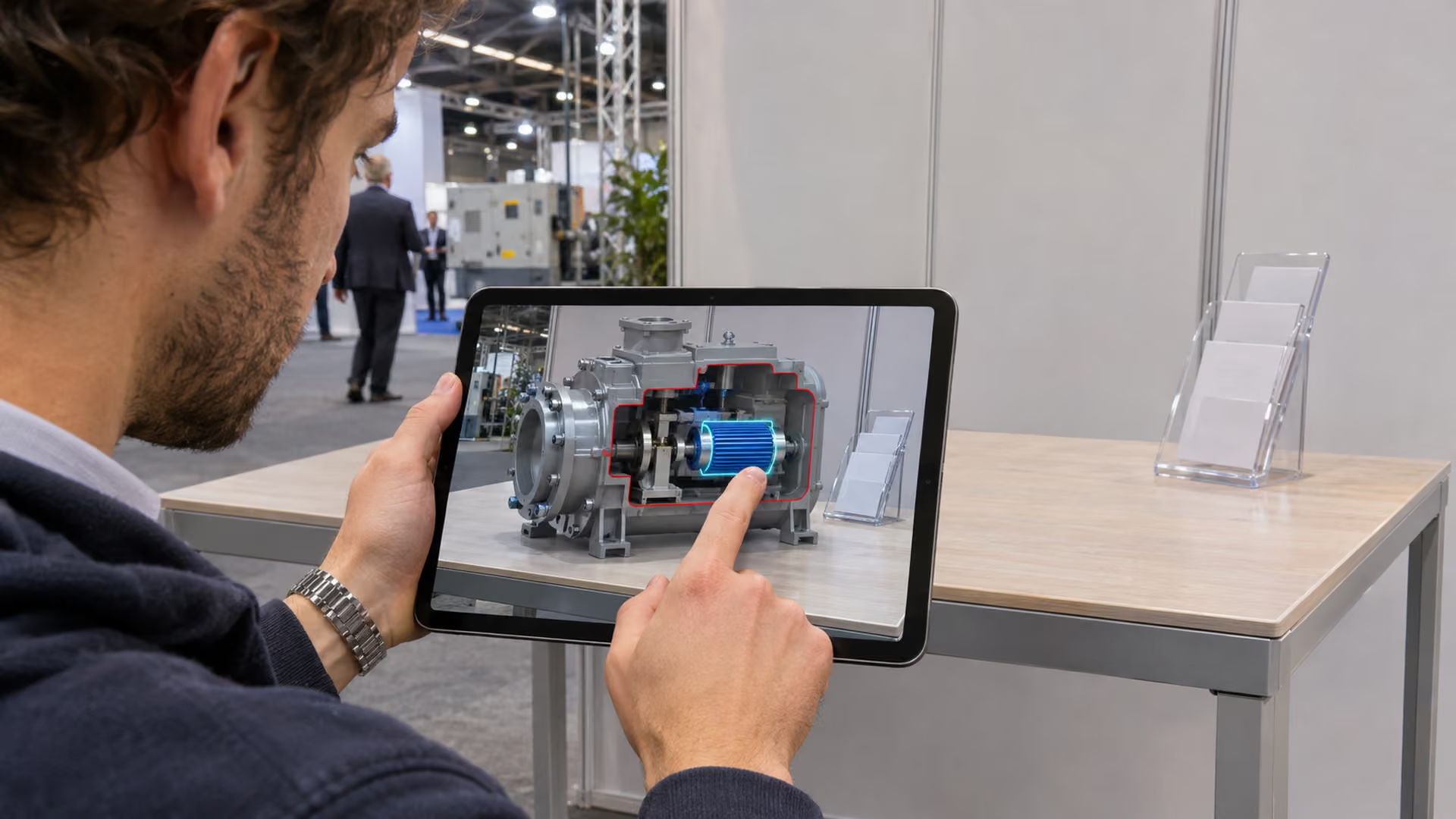
An exhibition stand may have limited floor space and a short window to capture attention. AR can help a visitor inspect a digital representation of an object that is too large, delicate or impractical to display. For example, an industrial supplier could show a cutaway model and allow a visitor to explore a component's relationship to the whole machine.
A useful activation gives the visitor a reason to interact beyond the novelty of seeing an object. A simple sequence might invite them to select a component, see how it fits and then speak to a representative about a relevant application. Staff can use the experience as a conversation aid, while a clear non-AR explanation remains available to visitors who prefer it.
The venue affects the design. Reflective floors, variable lighting, crowds and network congestion can make a reliable office demonstration behave differently at an event. The team should test the actual environment where possible and decide whether visitors use their own phones or devices supplied at the stand. Each option has implications for compatibility, hygiene, staffing and reset time.
The experience also needs a fallback. A video, physical model or conventional 3D view can keep the conversation moving if a visitor's device is unsupported or connectivity fails. A successful event plan includes the staff briefing, signage and support process, not just the digital scene.
Training and education
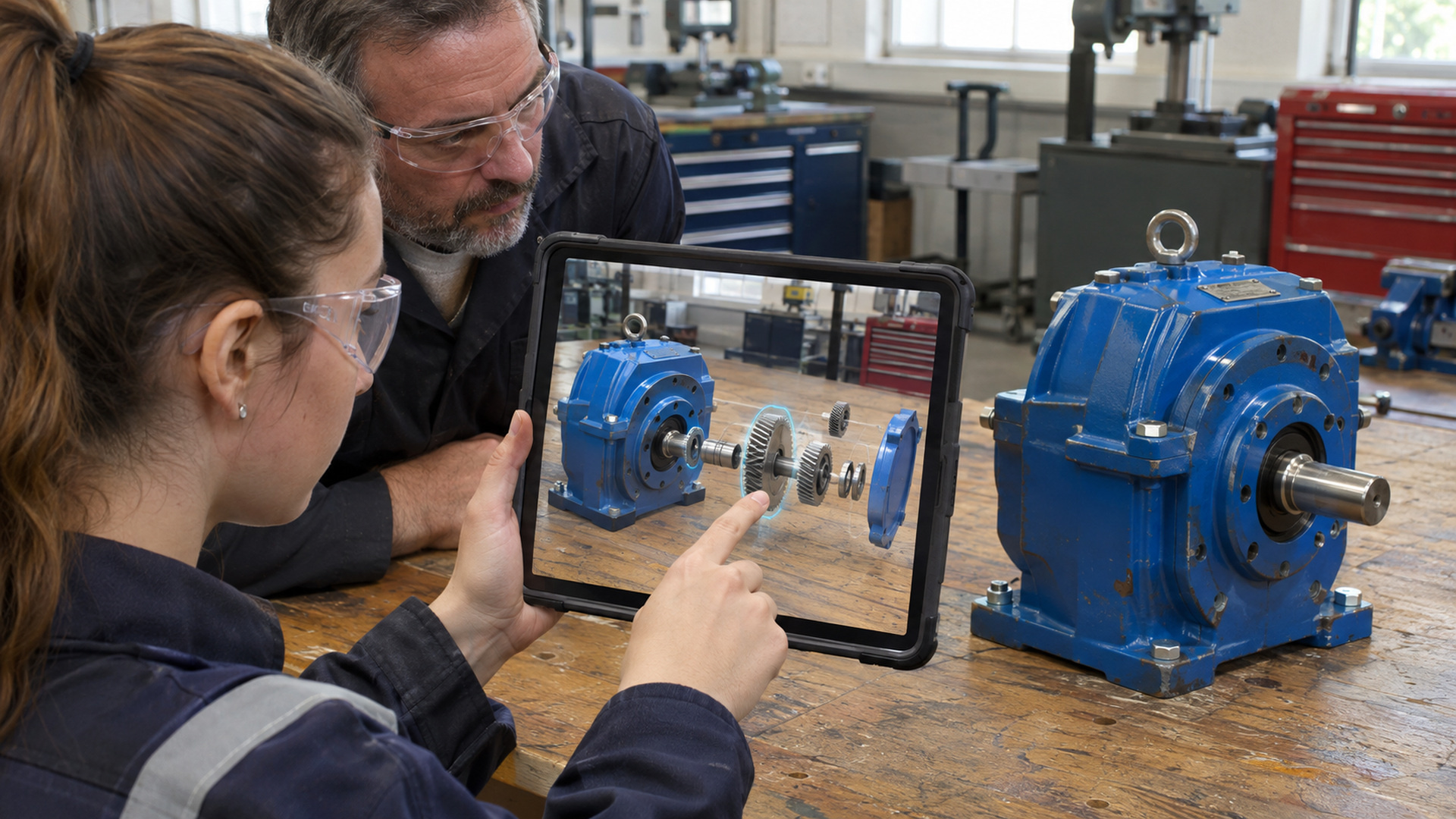
AR can provide a spatial bridge between a diagram and a physical object. A learner might examine a labelled digital assembly, compare it with equipment in a classroom or view an animation showing how components relate. An educator could use a model to make a concept visible from angles that are difficult to show in a static image.
The learning objective must lead the design. If the goal is to identify components, visual clarity and correct terminology matter. If the goal is to understand a sequence, the experience should make the order and relationship between steps understandable. Additional visual effects that do not support the lesson can distract from it.
Subject-matter experts should verify the model and the explanation. Simplification may be necessary for a mobile device or a beginner, but it must not conceal a difference that is important to the lesson. The organisation should identify the authoritative source for instructions and decide how changes are reviewed and distributed.
AR is a teaching aid, not proof that someone can safely perform a task. Practical competence may require supervision, assessment and adherence to established procedures. In a hazardous environment, a digital overlay must not replace isolation, protective equipment or the organisation's safety requirements. The application should be designed around the approved process rather than inventing a new one.
Retail and interactive packaging
A printed package, display or catalogue page can serve as an entry point to a digital experience. A customer might inspect a product model, view a demonstration or compare variations. The same principle can help a sales representative explain features that are not visible from the outside of the physical item.
The transition should be worthwhile. Asking someone to open a camera is a meaningful step, so the digital content should offer information that is not already obvious on the package. A short demonstration of how a mechanism works may be useful; an unrelated animation may create attention without helping the customer.
Think about where the experience will be used. In a shop, connectivity and lighting can vary, and people may have little time. At home, a customer may have more time but a different device or less floor space. Keep the opening instructions concise, provide an accessible alternative and make it clear how to leave or return to the product information.
Any product claim in the experience should be reviewed like a claim in other marketing material. A visual representation of performance is not evidence that a product will produce a particular result. Avoid fictional customer stories or unsupported numerical claims, and make it easy for the business to update content when the product changes.
Property, interiors and spatial planning
Property and interior teams can use spatial content to discuss proposed arrangements, finishes or objects in relation to a real space. A client might compare a virtual furniture configuration with existing features or inspect a conceptual change before commissioning more detailed work.
The purpose and level of accuracy should be explicit. An early visualisation can support a conversation about layout and style; it does not automatically confirm structural feasibility, dimensions, material appearance or compliance with building requirements. Decisions that depend on precise measurements or professional approval still need the appropriate verification.
If the project uses a scan of a room, agree on supported devices, the purpose of the scan and how the resulting information will be stored and shared. Apple's RoomPlan overview describes a scanning approach for supported hardware, but a particular application's capabilities and limitations must be established separately.
A useful project also considers how easily the proposal can change. If a client selects a different item or the room dimensions are corrected, who updates the model? Are the editable files available? A flexible content process may be more valuable over the life of the project than a highly polished visual that cannot be revised economically.
Museums, tourism and place-based interpretation
A museum or heritage attraction can use AR to add a layer of interpretation to a physical exhibit. A visitor might see a reconstruction of an object, examine a detail at a larger scale or follow a visual explanation of a process. The physical exhibit remains central, while the digital content provides context that is difficult to show on a static label.
For outdoor experiences, location-based technology may help relate content to a place. Google's Geospatial API documentation describes one way to use location and visual positioning. Coverage and reliability vary, so the team should check and test the actual location before promising a particular interaction.
Accuracy and interpretation deserve care. A reconstruction should be identified as a reconstruction, and its source material should be reviewed by the people responsible for the collection or story. Where evidence is incomplete, the experience can communicate uncertainty rather than presenting a speculative detail as established fact.
Visitors also need safe, accessible choices. A conventional map, audio description or text can provide an alternative to moving around while holding a phone. In outdoor spaces, instructions should encourage people to be aware of traffic, steps and other hazards. Location and camera permissions should be explained according to the actual data use.
Maintenance and support information
A custom AR interface can help present information about equipment in the context of the object. A technician in a training setting might use a tablet to locate a component or view an explanatory model. For a consumer product, a guided visualisation might help a customer understand where a replaceable part is located.
The design must distinguish an illustration from a live diagnosis. An AR overlay does not automatically know the state of a machine. If an experience displays live information, the source, connection, update frequency and failure behaviour must be specified and tested. A stale or incorrectly matched status could mislead the user.
The business should determine how equipment versions are identified, who approves instructions and how the content is withdrawn when it becomes outdated. For safety-critical operations, existing procedures and qualified supervision remain authoritative. A custom interface should support those processes rather than suggesting that it can guarantee a machine will not fail.
A useful first project may focus on a limited, non-hazardous explanatory task. Test whether the correct part can be identified, whether the digital content remains aligned under realistic conditions and whether the person understands when to consult the official manual or a qualified specialist.
Choosing the delivery method
A custom experience can be delivered through a dedicated app or, for suitable functions and devices, reached from a webpage. The choice depends on the audience and the interaction. A short public preview may benefit from a straightforward link. An ongoing staff tool with accounts and a content library may justify a managed application.
Neither option removes compatibility work. Google's ARCore device list shows why Android support should be checked by model and feature. iPhone and iPad models also differ in hardware and software support. A proposal should name the intended devices, describe the test matrix and provide a sensible fallback.
Connectivity is equally important. A large model may take too long to download on a mobile connection. An exhibition network may perform differently when the venue is full. Determine which content is downloaded, what happens without a connection and how updates will reach users. Test the complete journey under conditions close to the intended deployment.
What to include in a custom AR brief
A clear brief can be short, but it should answer the questions that drive the solution:
- Who will use the experience, and where will they encounter it?
- What should they understand, decide or do after using it?
- Which physical object, place or surface must the digital content relate to?
- What 3D models, measurements, images and authoritative information are available?
- Which devices, operating systems and connections need to be supported?
- What should happen if the camera, tracking or network is unavailable?
- Who will approve, own and update the content after launch?
- How will the organisation evaluate the result without overstating what the data proves?
Include constraints such as event dates, available space, accessibility needs and security requirements. If the experience is used near machinery or in a public place, identify the relevant safety review and the people responsible for it. A developer can then recommend a proportionate approach rather than estimating from a broad request for an AR app.
A pilot should test the most uncertain part of the idea. That might be whether users understand an object at the intended scale, whether tracking is stable in a venue or whether a model loads quickly enough on representative devices. Agree on the questions and acceptance criteria before the test so the outcome can guide the next decision.
From a useful idea to a maintained experience
Custom AR can support product discovery, exhibitions, education, interpretation and guided information. Its value comes from making a relationship visible or an action clearer in a real setting. The model, interface and delivery method should all serve that purpose.
A successful launch is also the beginning of a maintenance responsibility. Products change, operating systems are updated and content can become inaccurate. Assign an owner for compatibility checks, asset updates, support and privacy information. Keep editable source files and document the decisions that future updates will depend on.
If you have a product, place or learning objective that could benefit from a spatial explanation, explore our custom augmented reality service or contact our team to discuss a suitable starting point.